
Every machine on one screen, and a task list for your team.
The platform where your sensors and your periodic readings meet. It checks every machine, turns a change into a task with what to do next, and keeps the whole history of each measuring point.
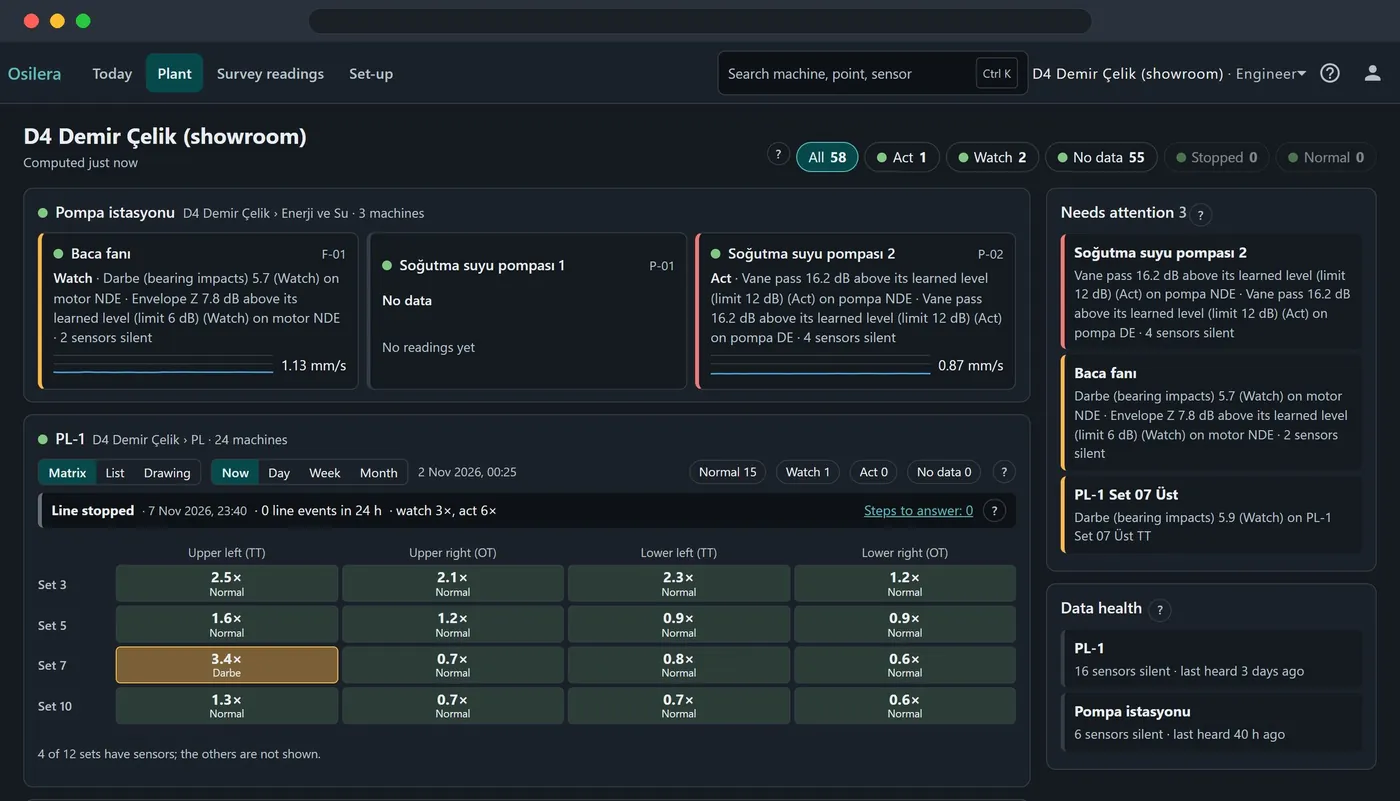
Open Today and you know where the team goes first.
The open alarms as tasks, most urgent first. Each task names the machine and point as your team knows them, and says what has risen, since when and what to do.
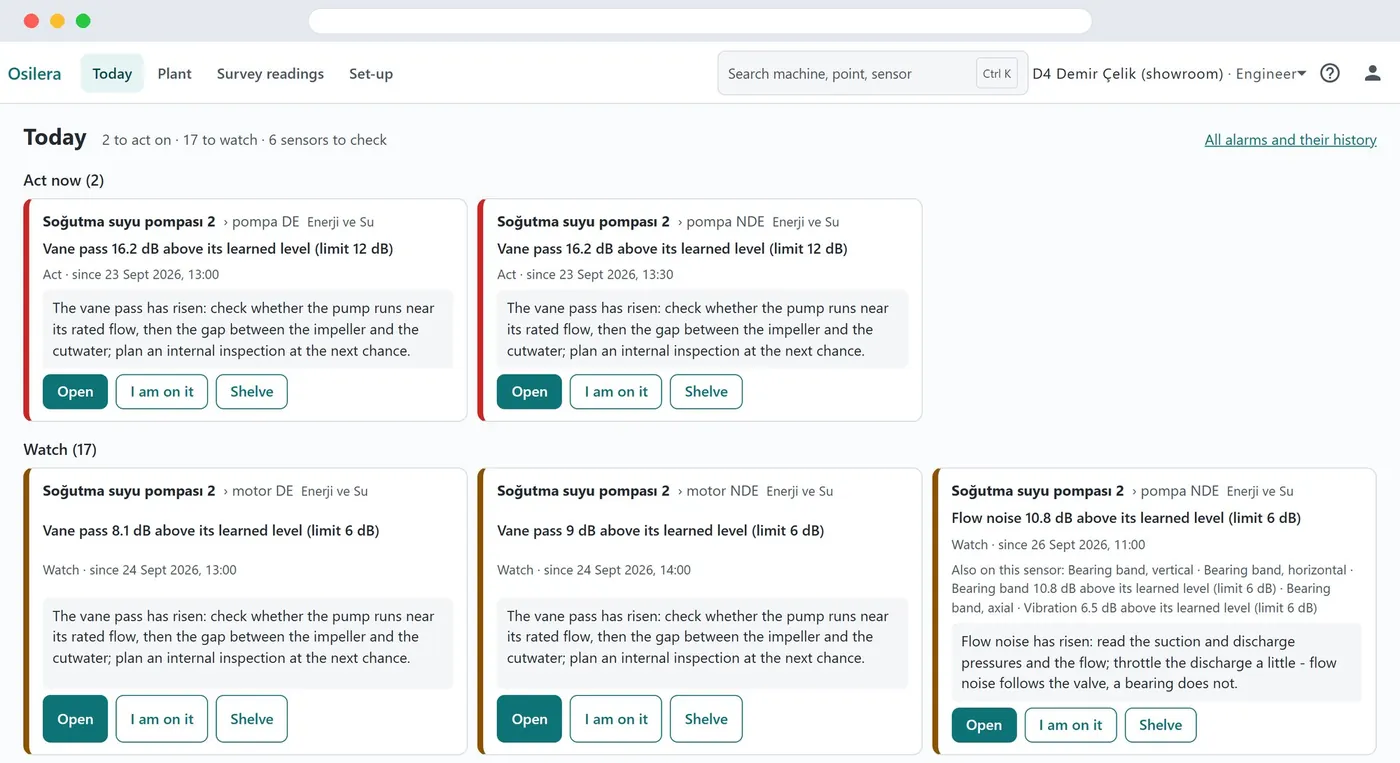
- Act now comes first, then Watch, then the sensors to check.
- What to do, written for that kind of alarm.
- I am on it shows who has the job; Shelve hides a task for a while, with a reason.
Machine or sensor? Kept apart
A silent sensor or a flat battery is a sensor to check, never a machine fault.
Alarm e-mail, if you want it
Act only, or Watch and Act, for the sites you choose, in your language.
One click to the answer
Open shows the machine's health card: what is wrong and what to do.
Plain answers: what is wrong, how sure, how urgent, what next.
Every machine has a health card that answers these four questions in plain words. Here a fan motor's bearing shows an outer-race fault line in 5 of its last 5 readings.
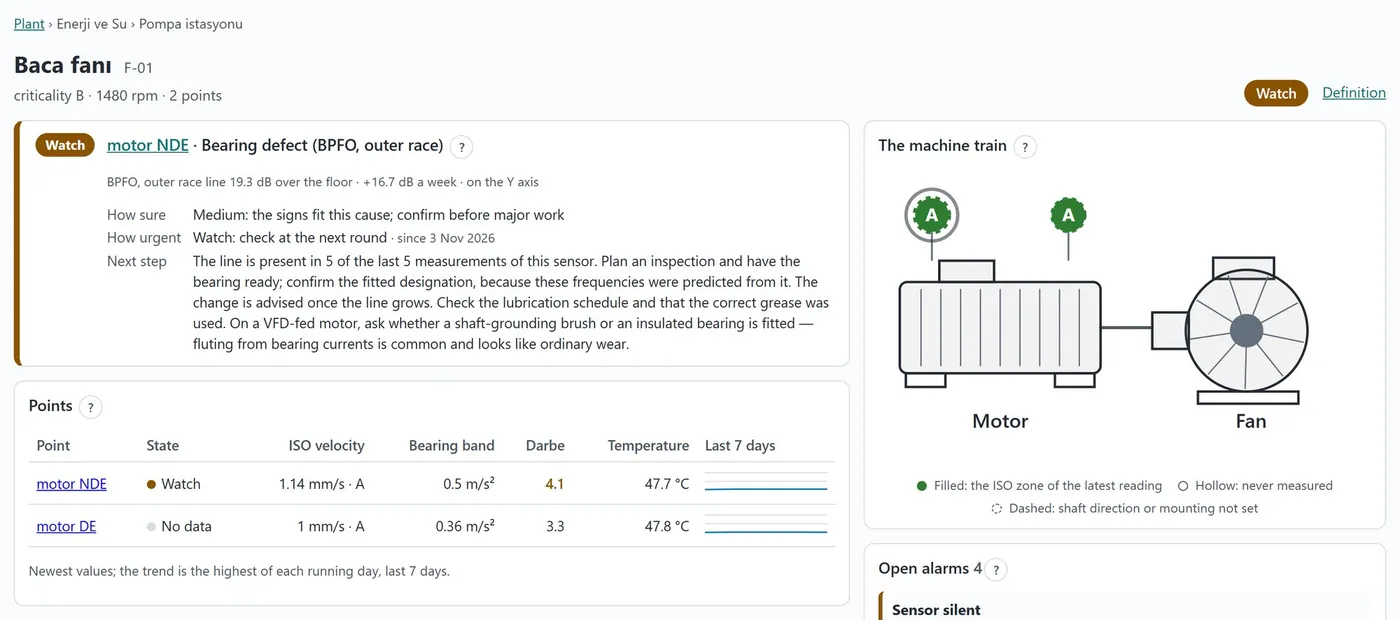
- Health card: the cause, how sure, how urgent and the next step.
- The machine drawing. The ringed point needs you first.
- Every measuring point with its latest values.
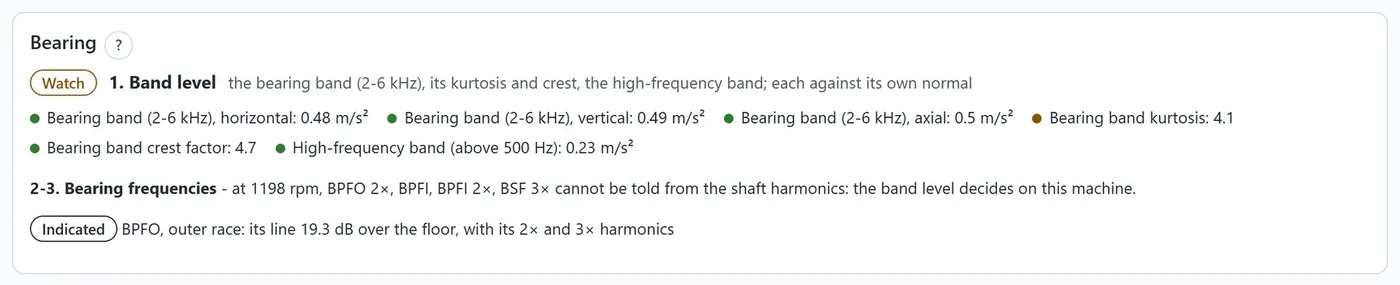
What a bearing fault line leads to
Osilera shows where to look. Confirm on the machine before major work; your maintenance team makes the repair decision.
Every machine is checked twice, so an alarm means something.
Check 1: the ISO 20816 zones for the machine's power and mounting
Check 2: the machine's own normal level
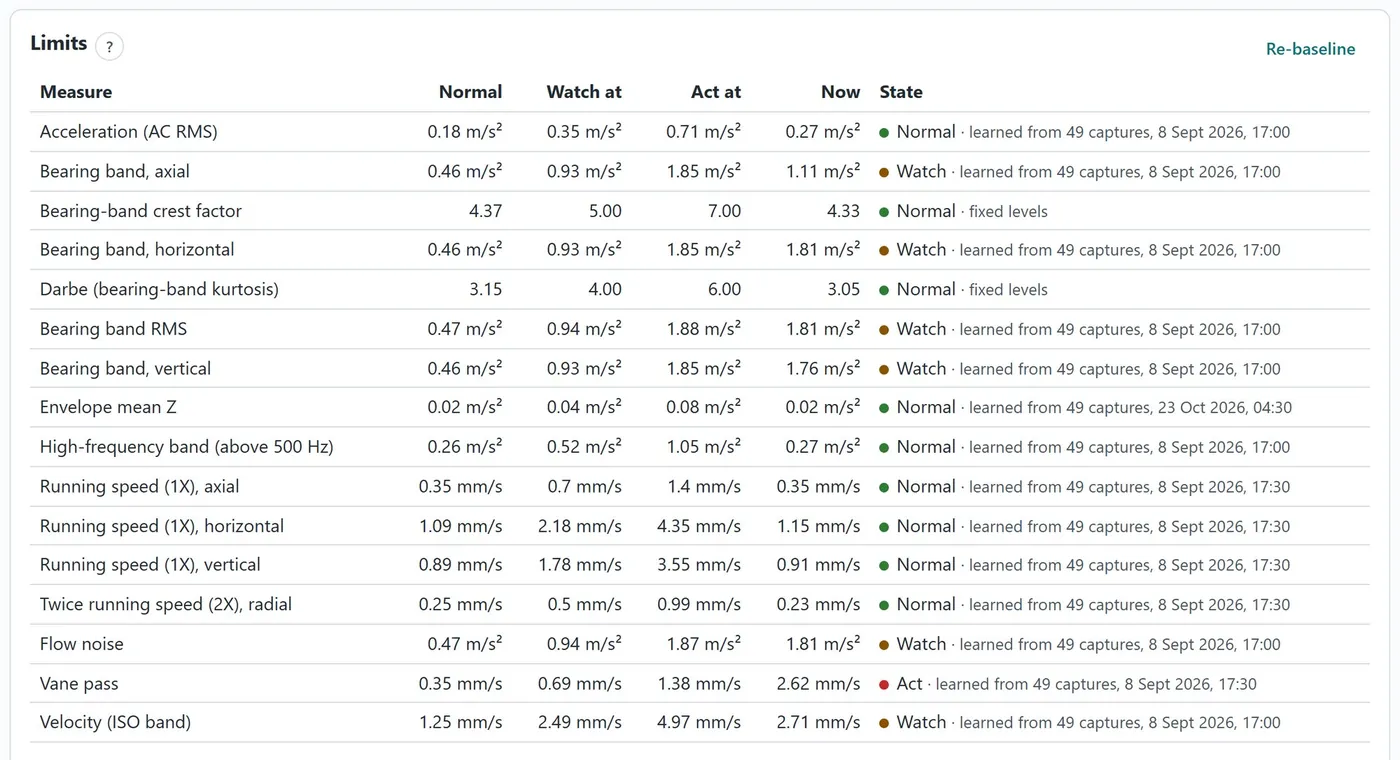
Learned, not guessed
From at least 20 readings over 24 hours of running, separately for each speed the machine runs at.
Fewer false alarms
A single spike raises nothing: Watch needs 2 readings in a row, Act needs 3. Watch starts at least 6 dB above normal (about twice the level), Act at least 12 dB.
Bad is never learned as normal
For vibration velocity, the ISO zones stay in place as the upper limit.
Relearn after a repair
Re-baseline starts the learning again; Undo brings the old limits back. Every limit can be tuned for your plant within safe bounds, with the reason kept.
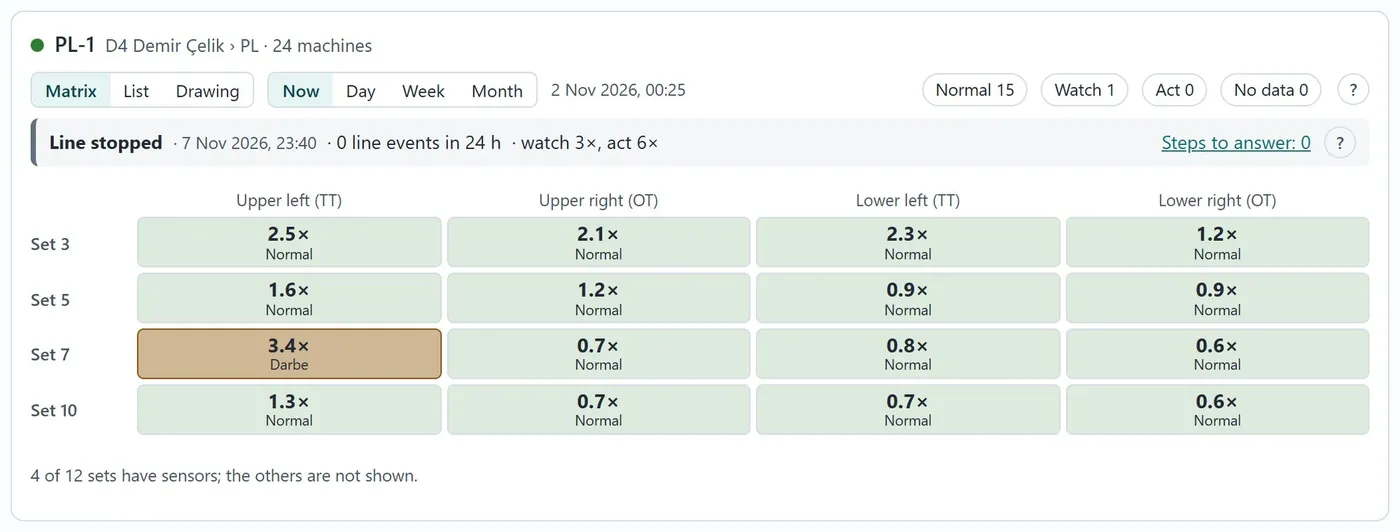
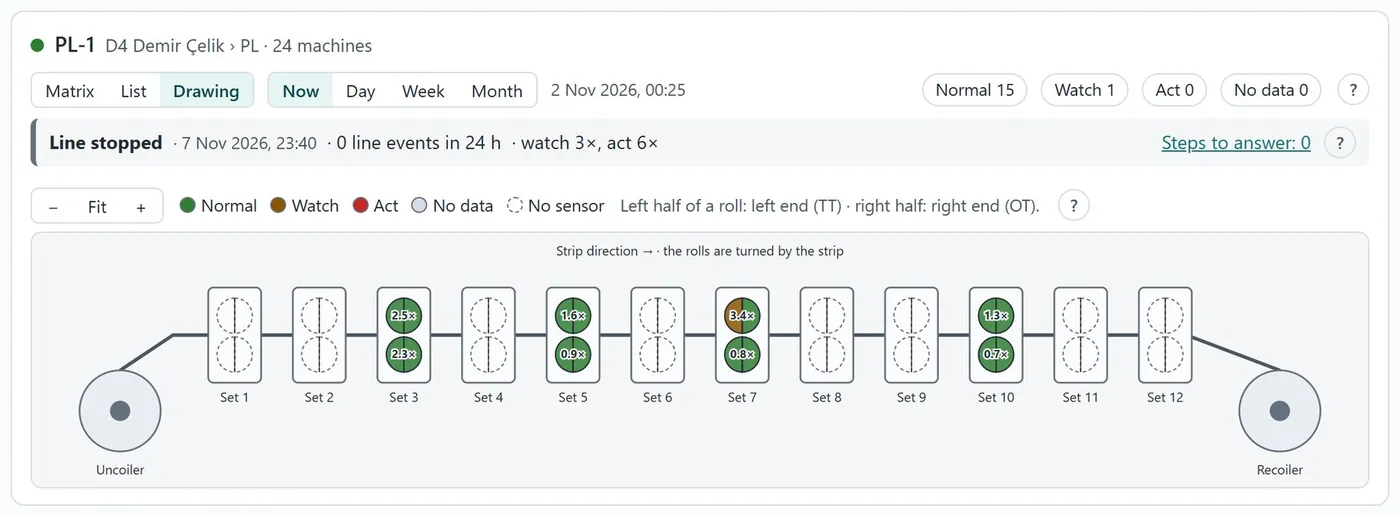
On a roll line, the one bearing that differs stands out.
Each roll end is compared with the others on the same line, so a change that hits the whole line turns no cell amber.
Your analyst can check every finding.
Behind every health card sit the charts a vibration analyst works with. Nothing is hidden: each finding shows the numbers it rests on.
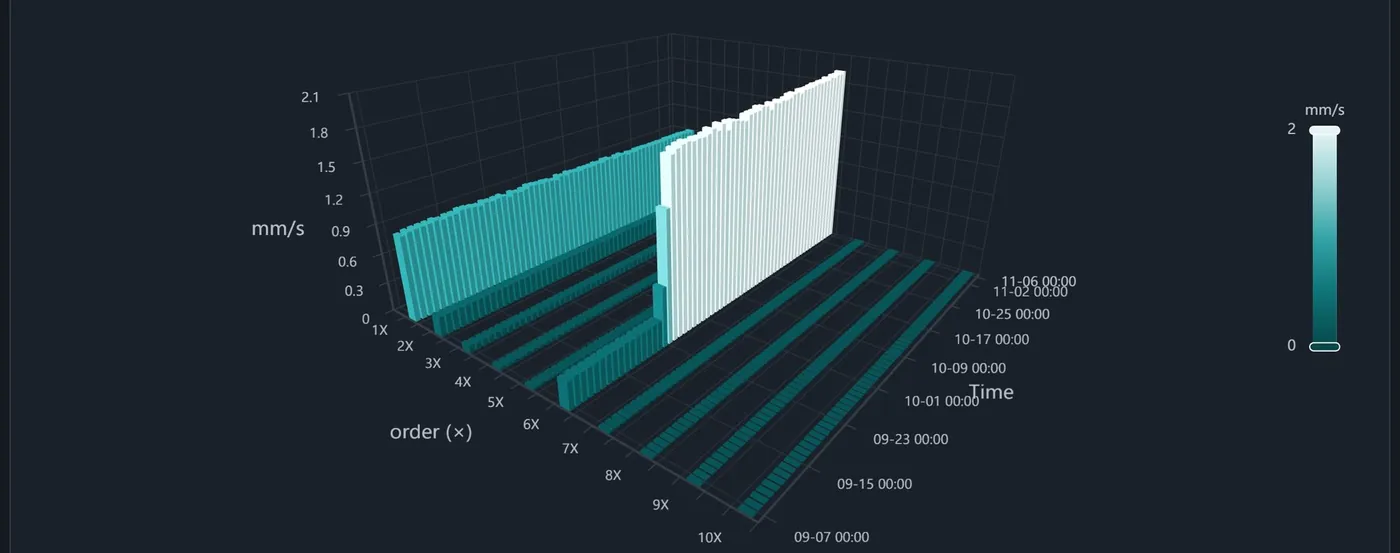

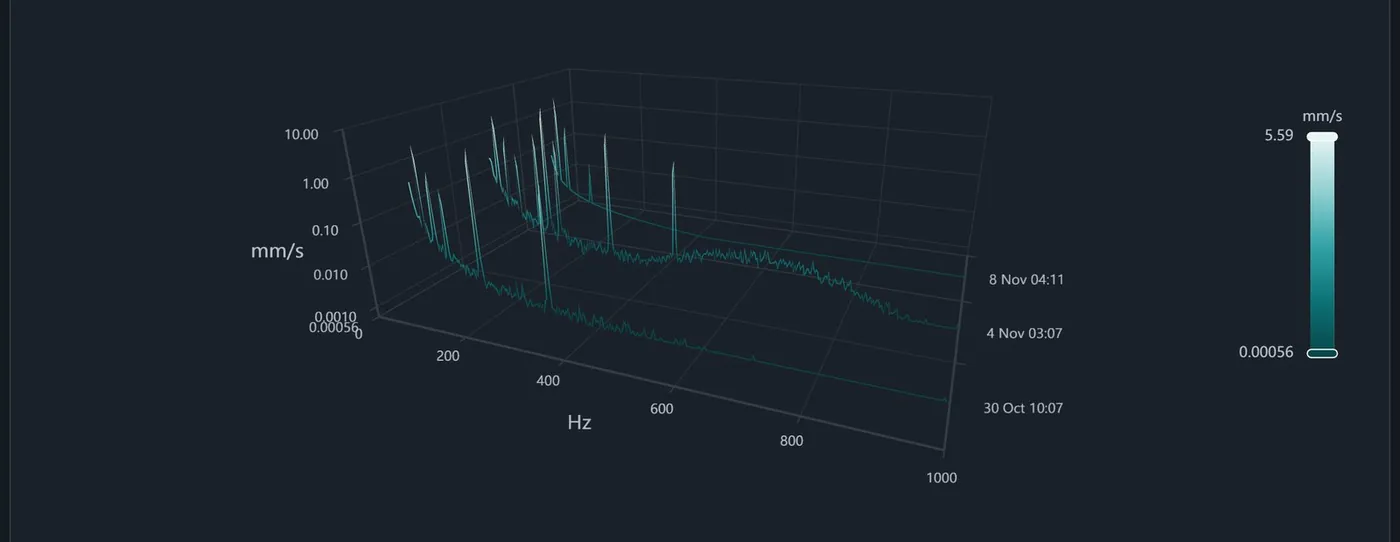
- Bearing check: outer ring, inner ring, ball and cage faults, each looked for on its own.
- Cursors read the gap between two frequencies at a glance.
- Every chart exports to CSV and PNG.
Describe each machine once. Your data stays yours.
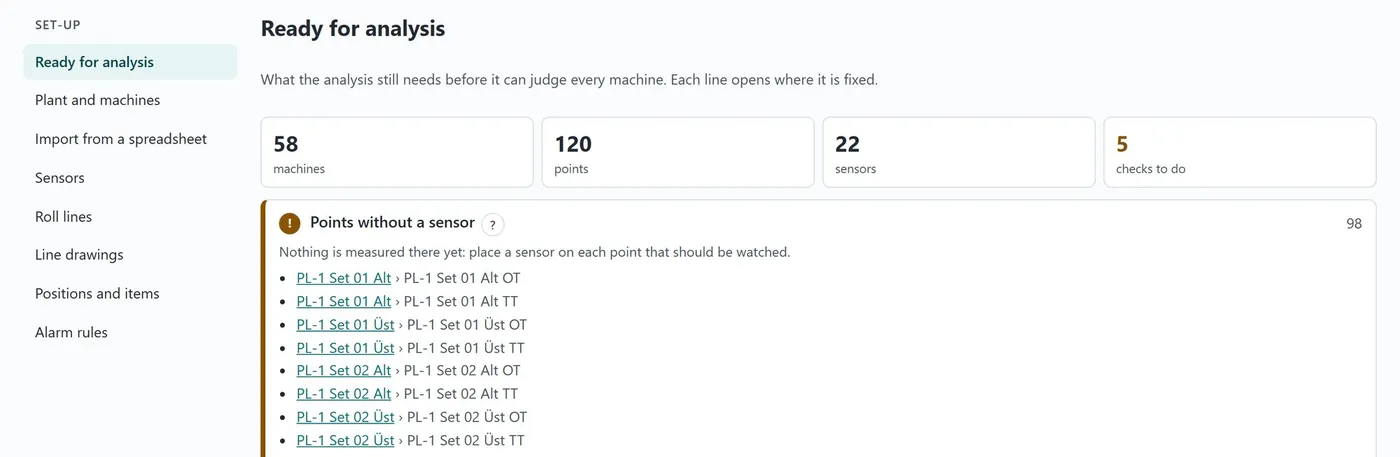
You describe each machine once: where it is, what it is built of and where the sensors sit. Osilera tells you what is still missing before it can judge every machine.
Set-up
- Enter machines one by one, or import many at once from a spreadsheet template in English or Turkish.
- Pick the bearing from the catalogue, or enter its dimensions.
- Machines set up in the Survey app arrive with their drawing and points.
- Every limit can be tuned for your plant within safe bounds, with the reason kept.
Your data
- In Osilera's EU cloud (Google Cloud), or on your own servers on request.
- Each customer's data is kept apart. Each person has one role, from Viewer to Admin.
- Two-step sign-in for administrators. A detailed audit log.
- Turkish and English, light and dark theme, metric or imperial units.
Osilera cloud
Hosted in an EU region of Google Cloud. Nothing to install at your site apart from the gateway and wireless routers for the Monitor sensors.
On your own servers
On request: the same platform inside your own network, with its own sign-in.